
Samsung Galaxy One UI 7 Update: What's New and Exciting?
Introduction
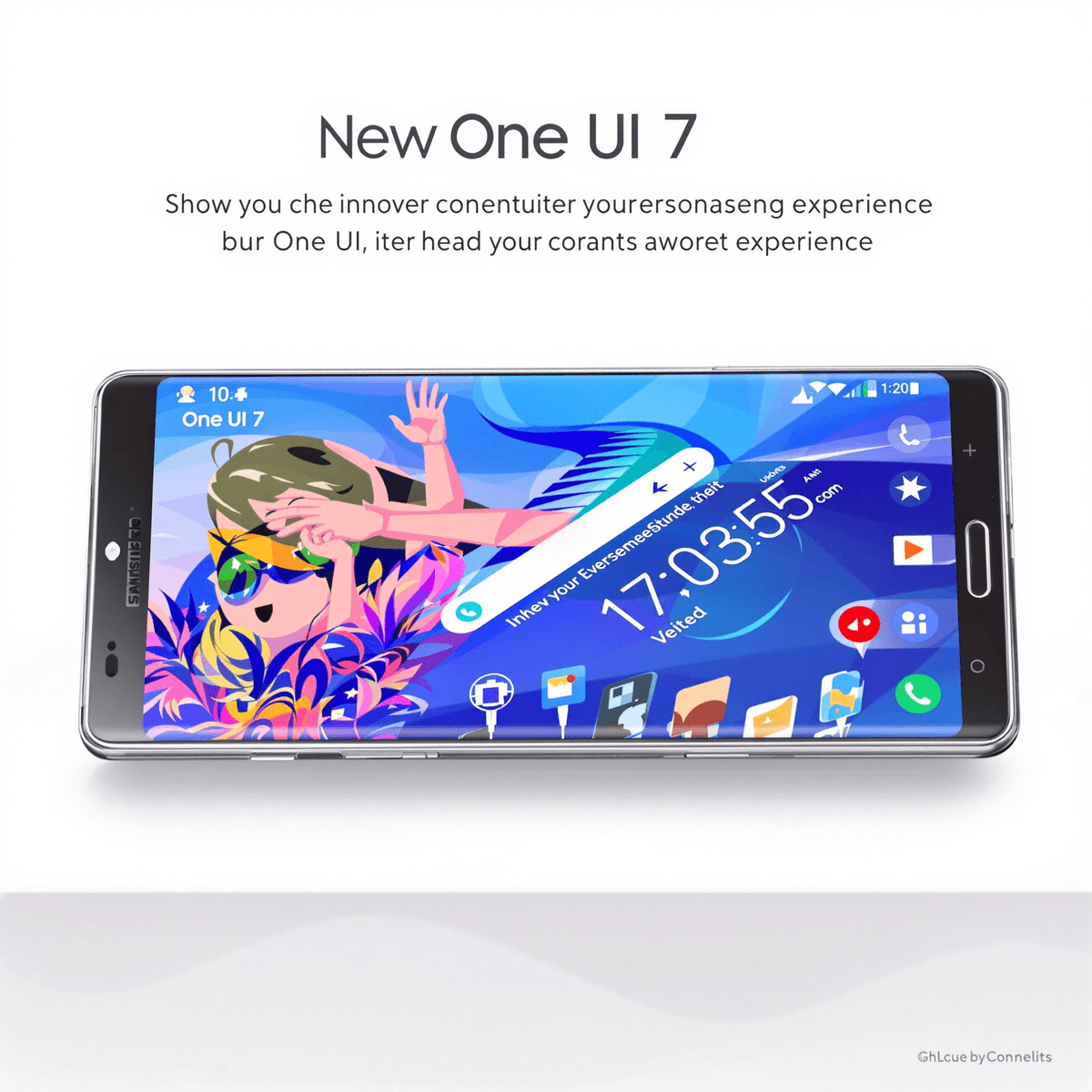
Samsung's latest One UI 7 update brings a fresh wave of innovation to Galaxy devices, marking a significant leap forward in mobile user experience. This major software update introduces intelligent features and refined aesthetics that transform how you interact with your Samsung smartphone.
The One UI 7 update represents Samsung's commitment to creating an intuitive and personalized mobile experience. From the revolutionary Now Bar on your lock screen to advanced AI-powered writing assistants, this update packs meaningful improvements that streamline your daily smartphone usage.
In this comprehensive guide, you'll discover:
- A detailed walkthrough of One UI 7's standout features
- How the new notification management system enhances productivity
- Ways to customize your device with expanded personalization options
- Tips for optimizing battery life with adaptive charging
- Integration of Galaxy AI tools for smarter communication
- Beta program details and release timeline information
Whether you're a tech enthusiast or a casual Samsung user, understanding these new features will help you maximize your device's potential. The One UI 7 update doesn't just change how your phone looks – it revolutionizes how you interact with your digital world.
Let's dive into the exciting changes that await you in Samsung's most sophisticated interface update yet.
Understanding One UI 7
One UI represents Samsung's signature approach to Android customization, designed to create a distinctive and user-friendly experience across Galaxy devices. This custom interface has evolved significantly since its initial release in 2018, transforming from a basic Android skin into a sophisticated ecosystem of features and design elements.
The Evolution Journey
- One UI 1.0: Introduced one-handed usage optimization
- One UI 2.0: Added system-wide dark mode
- One UI 3.0: Brought refined aesthetics and enhanced animations
- One UI 4.0: Implemented Material You design elements
- One UI 5.0: Expanded customization options
- One UI 6.0: Introduced AI-powered features
One UI 7 marks a significant leap forward in Samsung's interface design philosophy. Built on Android 15's foundation, this version introduces a refined visual language that prioritizes clarity and efficiency. The interface maintains Samsung's commitment to one-handed operation while introducing new interactive elements that respond to user behavior.
Key Architecture Changes
- Separated notification and quick settings panels
- Vertical app drawer scrolling option
- Refined gesture navigation system
- Enhanced depth and shadow effects
- Improved system animations
The transition from previous versions to One UI 7 brings notable improvements in system performance. Samsung has optimized the interface to reduce memory usage and enhance app loading times. The new architecture also introduces a more efficient battery management system that adapts to individual usage patterns.
Design Language Updates
- Refined typography with improved readability
- Updated icon designs with consistent styling
- New animation framework for smoother transitions
- Enhanced haptic feedback system
- Redesigned system apps with unified aesthetics
The alignment with Android 15 allows One UI 7 to leverage advanced features while maintaining Samsung's unique identity. This integration enables seamless compatibility with Google's latest innovations while preserving the distinctive elements that make Samsung's interface stand out in the Android ecosystem.
Exciting New Features in One UI 7
Samsung's latest One UI 7 update brings three groundbreaking features that transform how you interact with your Galaxy device. Let's dive into these innovations that enhance your daily smartphone experience.
1. Now Bar: Real-Time Information at Your Fingertips
The Now Bar introduces a dynamic new way to stay informed right from your lock screen. This horizontal widget displays live information based on your current activities:
- Music Controls: Skip tracks and adjust volume without unlocking
- Timer Updates: Track countdown progress at a glance
- Weather Alerts: Real-time weather changes and forecasts
- Calendar Events: Upcoming appointments and reminders
2. Streamlined Notification Management
The notification system receives a complete overhaul in One UI 7, creating a more intuitive user experience:
- Split Access: Swipe down for notifications, swipe from top right for quick settings
- Expanded Visual Toggles: Increased from 20 to 24 options
- Quick Actions: Direct responses to messages without opening apps
- Smart Grouping: Related notifications bundle together automatically
3. Enhanced Customization Options
One UI 7 puts unprecedented personalization power in your hands:
Lock Screen Customization
- Adjustable clock sizes and positions
- Widget placement flexibility
- Custom shortcut assignments
- Dynamic wallpaper options
Color Palette Features
- Expanded color schemes: Choose from 16 new preset combinations
- Material You integration: System-wide color harmony
- App icon theming: Consistent visual identity across your device
- Custom accent colors: Personalize your interface highlights
Widget Innovations
- Resizable widgets with new aspect ratios
- Interactive elements for quick actions
- Smart stacking capabilities
- Weather-responsive designs
The vertical app drawer option adds another layer of customization, letting you browse your apps in a way that feels natural to you. Each new feature builds upon Samsung's commitment to creating a more personalized and efficient mobile experience.
Organizing Notifications Effectively with One UI 7
The Samsung Galaxy One UI 7 update introduces a revolutionary notification filtering system that transforms how you manage your daily alerts. The new notification center separates alerts into distinct categories, making it easier to focus on what matters most.
Smart Filtering Categories:
- Active Notifications: Priority alerts that require immediate attention
- Silent Notifications: Non-urgent updates that won't disturb you
- Minimized Notifications: Less important alerts automatically grouped together
- History: A comprehensive log of past notifications for reference
The notification filters work through an intelligent algorithm that learns from your interaction patterns. When you receive a notification, One UI 7 automatically categorizes it based on your previous responses and app preferences. You can customize these categories by long-pressing any notification and selecting your preferred filter settings.
Key Benefits for Users:
- Reduced Notification Fatigue: The filtered approach prevents notification overload by organizing alerts based on importance
- Time-Sensitive Management: Critical notifications stand out from routine updates
- Customizable Categories: You can create personalized filters for specific apps or notification types
- Quick Actions: Swipe gestures let you move notifications between categories instantly
The notification center's new layout displays filtered notifications in collapsible sections. A simple tap expands or collapses each category, giving you complete control over your notification view. The system also includes a search function to locate specific notifications within your history, making it easier to track important information.
This refined notification management system reflects Samsung's commitment to creating a more organized and stress-free mobile experience. The intelligent filtering mechanism adapts to your usage patterns, ensuring that your notification center becomes more personalized over time.
Good Lock App Enhancements: Unleashing Extensive Customization Possibilities with One UI 7
Samsung's Good Lock app receives significant upgrades in One UI 7, transforming into a powerhouse of personalization options. This enhanced version brings deeper customization capabilities that let you tailor your Galaxy device to match your unique preferences.
The refreshed Good Lock app introduces several key improvements:
1. Advanced Theme Engine
- Create custom color schemes beyond the default palette
- Mix and match UI elements from different themes
- Design personalized icon shapes and sizes
2. Enhanced Module Support
- QuickStar: Redesign your quick settings panel
- NavStar: Customize navigation gestures and buttons
- LockStar: Create unique lock screen layouts
- Keys Cafe: Design custom keyboard layouts
The app now features an intuitive drag-and-drop interface for easier customization. You can save multiple profiles and switch between different setups based on your activities or preferences.
The expanded customization options include:
- Precise control over animations and transitions
- Custom sound profiles for different apps
- Advanced gesture controls for navigation
- Personalized notification panel layouts
- Tailored multitasking window arrangements
Good Lock's integration with One UI 7 extends to system-level modifications, allowing you to adjust the behavior of built-in features. The app maintains Samsung's security standards while providing unprecedented control over your device's interface.
These enhancements reflect Samsung's commitment to user personalization, making Good Lock an essential tool for users who want to create a truly unique Galaxy experience.
Optimizing Battery Life and User Convenience with Adaptive Charging Management in One UI 7
One UI 7's adaptive charging management brings intelligent battery optimization to Samsung devices. The system learns your daily charging patterns and adjusts power delivery to extend your battery's lifespan.
Key Battery Management Features:
- Custom Charge Limits: Set maximum charging thresholds between 80-100% to prevent battery stress
- Sleep Schedule Integration: The system syncs with your bedtime routine to optimize overnight charging
- Smart Charging Speeds: Automatically adjusts charging rates based on your usage patterns
- Temperature Control: Monitors and regulates device temperature during charging cycles
The new battery interface displays detailed statistics about your charging habits and provides personalized recommendations. You'll see predictions for battery life based on your usage patterns and suggestions for optimal charging times.
Battery Protection Modes:
- Work Mode: Maintains charge at 80% during work hours
- Night Mode: Completes charging just before your wake-up time
- Travel Mode: Adapts to time zone changes and irregular charging patterns
These adaptive charging features protect your device's battery health by preventing unnecessary strain from constant full charges. The system reduces battery degradation by up to 50% compared to standard charging methods.
Users can monitor their battery's health status through detailed graphs and receive notifications when charging patterns might affect battery longevity. The interface provides clear visual indicators of charging status and estimated time remaining until the selected charge limit is reached.
The new power management system integrates seamlessly with Samsung's Device Care suite, offering comprehensive battery health monitoring and optimization suggestions based on your specific usage patterns.
Exploring Galaxy AI Tools: Writing Assistants and Multilingual Call Transcripts in One UI 7
The Galaxy AI tools in One UI 7 bring advanced communication capabilities to your fingertips. Samsung's writing assistant transforms your messaging experience with real-time suggestions and context-aware recommendations.
Smart Writing Features:
- Intelligent Text Prediction: The system learns your writing style to suggest relevant phrases
- Tone Adjustment: Switch between casual, professional, or formal writing styles
- Grammar Check: Real-time corrections for spelling and grammar errors
- Context-Aware Suggestions: Smart recommendations based on your conversation history
The writing assistant integrates seamlessly across messaging apps, email clients, and social media platforms. You'll receive tailored suggestions that match your communication style while maintaining natural language flow.
Multilingual Call Transcripts:
- Live Translation: Real-time transcription in 13 languages
- Searchable Archives: Find specific conversations through keyword search
- Automatic Language Detection: No manual language selection needed
- Share Options: Export transcripts in various formats
The call transcript feature works in the background, capturing conversations you might miss. Each transcript includes speaker identification and timestamp markers for easy reference. The system maintains high accuracy even with different accents and speaking speeds.
Privacy Controls:
- Encrypted storage for all transcripts
- User control over data retention
- Option to disable AI features selectively
- Local processing for sensitive information
These AI tools demonstrate Samsung's commitment to enhancing communication through technology. The features adapt to your usage patterns, becoming more accurate and personalized over time.
Beta Program Insights and Expected Stable Release Timeline for One UI 7
Samsung launched its One UI 7 beta program on December 5, 2024, marking a significant milestone in the software's development cycle. The initial rollout focuses exclusively on the Galaxy S24 series, allowing these flagship device users to experience and test the new features firsthand.
The beta program structure includes:
- Phased Device IntegrationPhase 1: Galaxy S24, S24+, and S24 Ultra
- Phase 2: Galaxy S23 series (expected mid-January 2025)
- Phase 3: Galaxy Z Fold 5 and Z Flip 5 (projected late January 2025)
Stable Release Timeline The stable version of One UI 7 is set to launch in early 2025, with a planned rollout schedule targeting different device categories:
- First Quarter 2025
- Galaxy S24 series
- Galaxy S23 series
- Galaxy Z Fold 5
- Galaxy Z Flip 5
- Second Quarter 2025
- Galaxy S22 series
- Galaxy A54
- Galaxy A53
- Select mid-range devices
Device Compatibility Requirements Your Samsung device needs to meet these specifications to receive the One UI 7 update:
- Android 13 or higher as base operating system
- Device launch date: 2021 or later
- Minimum 4GB RAM
- Regular security patch level
The beta program accepts participants through the Samsung Members app, with limited spots available per region. Users can provide direct feedback through dedicated channels, helping Samsung identify and resolve potential issues before the stable release.
Samsung's testing process includes rigorous performance evaluations, battery optimization checks, and compatibility testing with popular third-party apps. This comprehensive approach aims to deliver a polished and reliable user experience when One UI 7 reaches its stable release.
Conclusion: Embracing the Future of Samsung Software Updates with One UI 7
The Samsung Galaxy One UI 7 update is a major step forward in improving the mobile user experience. With the introduction of the Now Bar, users can interact with their lock screens in a whole new way, and the enhanced notification management makes using the device more efficient. These updates show Samsung's dedication to creating designs and functions that are easy to use.
The Good Lock app now offers even more customization options, allowing users to personalize their devices like never before. Additionally, the improved visual toggles give users greater control over how their device looks. Samsung's focus on practical features such as adaptive charging management demonstrates their commitment to making things convenient for users and extending the lifespan of devices.
Another significant development is the integration of Galaxy AI tools, which signifies Samsung's strategic move towards intelligent assistance. With writing aids and multilingual call transcripts, communication becomes more efficient and accessible for users.
Looking ahead, it seems that Samsung has exciting plans in store based on their software development trajectory:
- Deeper AI integration across system functions
- Enhanced customization possibilities
- Improved battery optimization features
- Stronger focus on user privacy controls
- Regular security updates and feature drops
The One UI 7 update sets a new standard for mobile interfaces by striking a balance between appealing aesthetics and practical functionality. Samsung's commitment to providing regular software updates and feature enhancements ensures that Galaxy devices remain at the forefront of mobile technology innovation. This bodes well for users who are invested in the Samsung ecosystem, as an exciting future awaits them with these advancements.
FAQs (Frequently Asked Questions)
What is One UI 7 and how does it enhance user experience on Samsung devices?
One UI 7 is Samsung's latest custom user interface designed to improve the overall user experience on its devices. It offers a range of new features, including enhanced notification management, improved customization options, and real-time information display on the lock screen, all aimed at making interactions smoother and more intuitive.
What are the key new features introduced in One UI 7?
One UI 7 introduces several exciting features such as the Now Bar for real-time information on the lock screen, streamlined notification management for easier access, enhanced customization options with vibrant color palettes and unique lock screen widgets, and advanced writing assistants through Galaxy AI tools.
How does One UI 7 improve notification management?
One UI 7 enhances notification management by introducing filters that allow users to organize notifications more effectively. This feature enables streamlined access to important alerts while minimizing distractions, thus improving the overall user experience.
What enhancements have been made to the Good Lock app in One UI 7?
In One UI 7, the Good Lock app has received significant enhancements that expand its customization capabilities. Users can personalize their devices further with new modules and features that allow for greater control over their interface and functionality.
How does One UI 7 optimize battery life with adaptive charging management?
One UI 7 includes adaptive charging management features that optimize battery charge levels based on user sleep schedules. This not only helps prolong battery longevity but also ensures convenience by adjusting charging patterns to fit users' habits.
When can users expect the stable release of One UI 7 after the beta program?
The beta program for One UI 7 is set to launch soon for devices like the Galaxy S24 series. The anticipated stable release is expected in early 2025, compatible with flagship and mid-range devices launched post-2021 running Android 13.
Powered by junia.ai. To remove branding, please upgrade to a paid plan.



0 Comments